
The Daedalus wallet is Cardano's official full-node desktop wallet — and it is unlike any other wallet you have used. When you open most crypto wallets, they ask a remote server "how much ADA does this address have?" Daedalus asks nobody. It downloads the entire Cardano blockchain to your computer and answers that question itself, by validating every single transaction since 2017. That is powerful — and it is also why Daedalus needs serious hardware and a long first sync.
This guide answers the questions a beginner actually has before choosing Daedalus for Cardano: What is this thing? Should I use it, or is a light wallet better for me? How do I install and sync it? How do I keep my ADA safe? Let's start with what makes Daedalus special.
What Is Daedalus? (And Why It's Different From Other Wallets)
Daedalus wallet is the official full-node wallet for Cardano, built by Input Output Global (IOG) — the company created by Charles Hoskinson. It is the only full-node Cardano wallet: there is no alternative that downloads the complete blockchain and validates it independently.
Here is the one idea that matters. Every other wallet — Yoroi, Lace, Eternl, Nami — is a "light" wallet. It runs on your phone or browser and asks a third-party server for your balance. That server is run by a company (Emurgo, IOG, etc.). You are trusting that company's server to give you correct data.
Daedalus does the opposite. It runs a full Cardano node on your computer, connected directly to the network. Your balance, your transaction history, your staking rewards — everything is calculated from a copy of the blockchain that your machine has verified itself.
Key idea: Light wallets ask someone else "how much do I own?" Daedalus verifies it yourself. Same coins, same wallet concept — but the trust model is completely different.
Definition — Full-node wallet: A wallet that downloads the entire blockchain and independently validates every transaction in its history, with no reliance on third-party servers. Maximum security and complete autonomy — at the cost of serious hardware and a long initial sync.
Full Node vs Light Wallet — How They Compare
| Feature | Daedalus (Full Node) | Light Wallets (Yoroi, Lace, Eternl) |
|---|---|---|
| Trust required | None — you verify everything | Low — you trust their server |
| First setup | Hours of syncing | Instant |
| RAM | 16GB minimum, 24-32GB recommended | Very low (works on 4-8GB) |
| Disk space | 150-250GB+ and growing | A few megabytes |
| Platform | Desktop only (Windows, macOS, Linux) | Browser, mobile, desktop |
| Best for | Large holdings, maximum sovereignty | Daily use, dApps, beginners |
The honest trade-off, in Vietnamese context: many Vietnamese beginners use 8GB RAM laptops and shared home Wi-Fi. Running a full node on that machine can take a full day to sync — or crash if RAM runs out mid-process. That does not make Daedalus bad. It makes Daedalus the wrong default choice, and the right choice for a specific kind of user.
Note for Vietnamese readers: Daedalus has no mobile version. Any website or app advertising "Daedalus for mobile" is a scam. Only download from the official site daedaluswallet.io.
Is Daedalus Right for You? Decision Flowchart
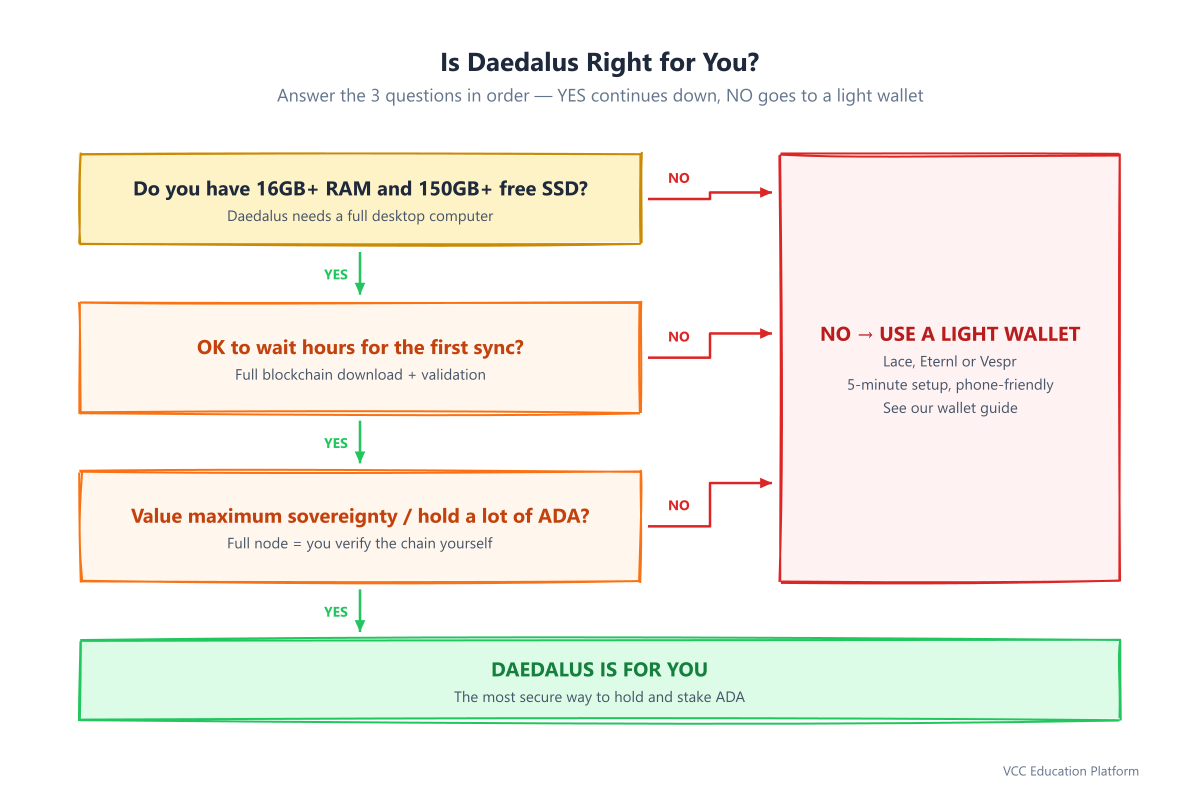
Figure 1: Is Daedalus right for you? A 3-question decision tree
Answer these three questions honestly:
- Do you have 16GB+ RAM and 150GB+ free SSD space? Open Task Manager / Activity Monitor and check. If your machine is close to full or low on RAM, Daedalus will struggle.
- Are you willing to wait hours for the first sync? This is not a 5-minute install. The first sync can take several hours on a good machine.
- Do you value maximum sovereignty — or hold a meaningful amount of ADA? If you want zero dependence on third-party servers, or you hold a lot, the wait is worth it.
If you answered no to any of these, a light wallet is the better fit — our guide on setting up your first wallet walks through the best options (Lace, Eternl, Vespr). If you answered yes to all three, keep reading.
System Requirements — Read This Before Downloading
The Daedalus full node wallet is a resource-hungry application. IOHK itself admits this and steers casual users to its light wallet. Before you download, check that your computer meets reality:
| Requirement | Minimum | Recommended |
|---|---|---|
| RAM | 16GB | 24-32GB |
| Storage | SSD, 150-250GB free (grows over time) | 300GB+ SSD |
| CPU | 64-bit dual-core | Faster = faster sync |
| Internet | Broadband | Stable connection (a drop restarts sync progress) |
| OS | Windows 10+, macOS 10.15+, Linux | Latest version |
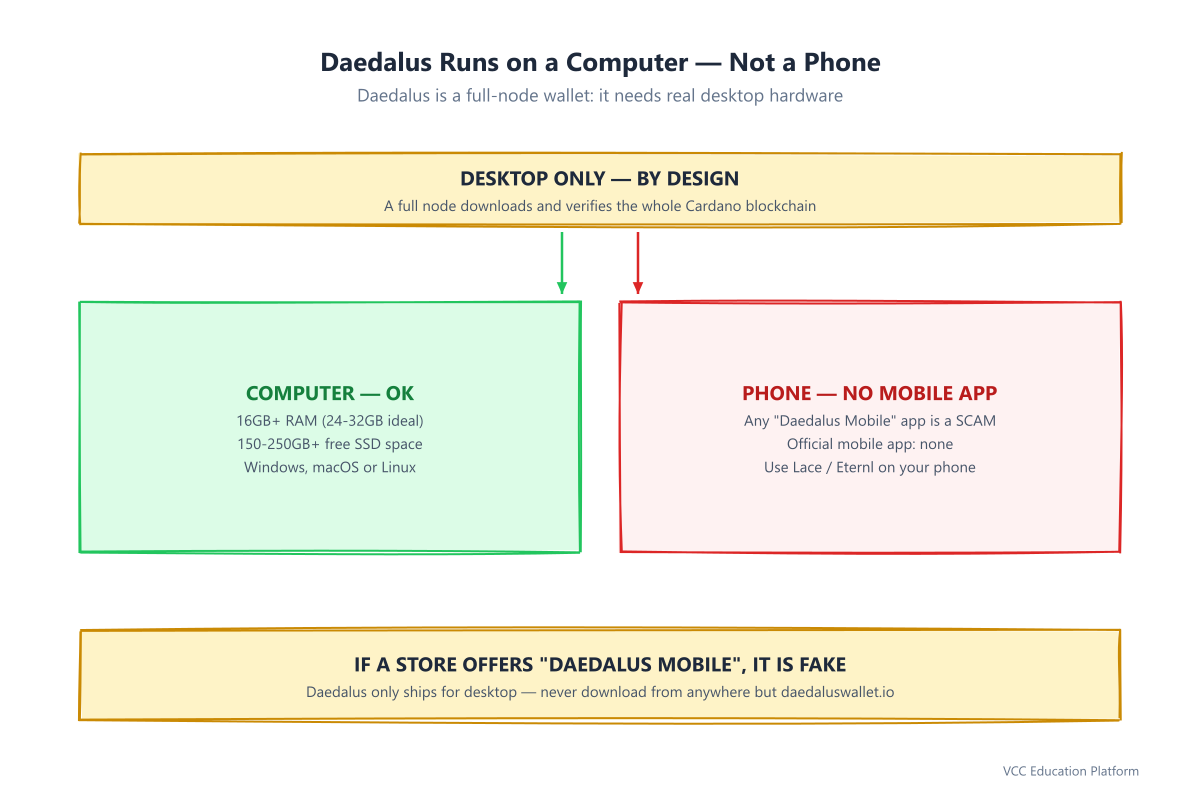
Figure 2: Daedalus is a desktop-only full-node wallet — no official mobile app exists
Two things people get wrong about Daedalus requirements:
- A hard drive (HDD) is not enough. The Cardano blockchain is millions of small files. On a spinning disk, sync crawls or times out. Use an SSD.
- The blockchain keeps growing. Today it is roughly 150-250GB; next year more. The number "you need" only goes up. This is why the official site says the drive space is "continuously growing."
Step-by-Step: Install and Sync Daedalus
The process has one hard part — the first sync — and it is also the part that scares beginners away. Let's walk through it.
Step 1: Download only from the official site
Go to daedaluswallet.io and download the installer for your operating system. Never type "Daedalus download" into a search engine and click the first link. Fake Daedalus sites exist specifically to steal your ADA.
Step 2: Install
Double-click the installer and follow the prompts. Daedalus bundles the full Cardano node — nothing extra to configure. Launch the app from your desktop icon.
Step 3: Let it sync — this is where patience comes in
When Daedalus first opens, it starts downloading the entire Cardano blockchain. You will see a sync progress screen. On a decent machine with an SSD, budget for several hours. The first sync is the longest; later launches sync only the new blocks and are much faster.
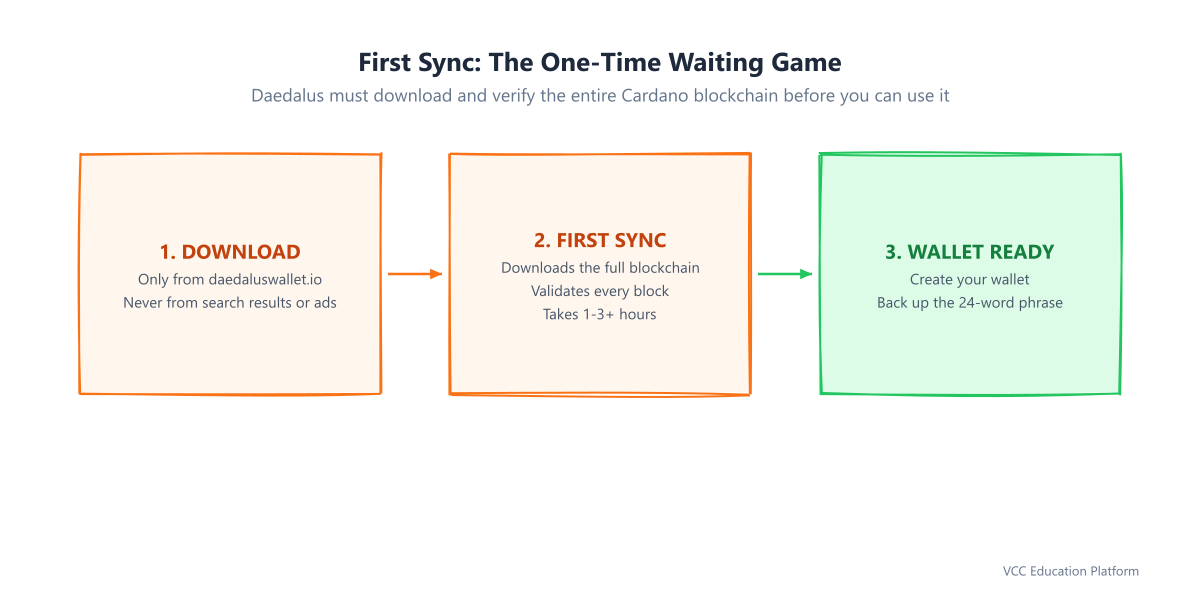
Figure 3: Install → first sync → wallet ready — plan for several hours
Step 4: What's actually happening during sync?
The sync is not a progress bar for decoration. Daedalus is:
- Downloading every block ever produced from peers on the network
- Validating each one — checking signatures and rules
- Building your own copy of the ledger, so it can answer balance questions without trusting anyone
That is the entire point of a full node. The hours you wait are Daedalus earning its trustlessness.
Tip: Do not turn off your computer mid-sync if you can avoid it. A dropped connection or power loss can interrupt the process. Some users run the initial sync overnight.
Create or Restore a Wallet
Once sync completes, you land on the wallet dashboard. Two paths:
Create a new wallet:
- Click Create
- Write down your 24-word recovery phrase — on paper, in exact order. Do NOT save it on your computer, do NOT photograph it, do NOT send it in a chat.
- Verify the phrase by entering the words in order
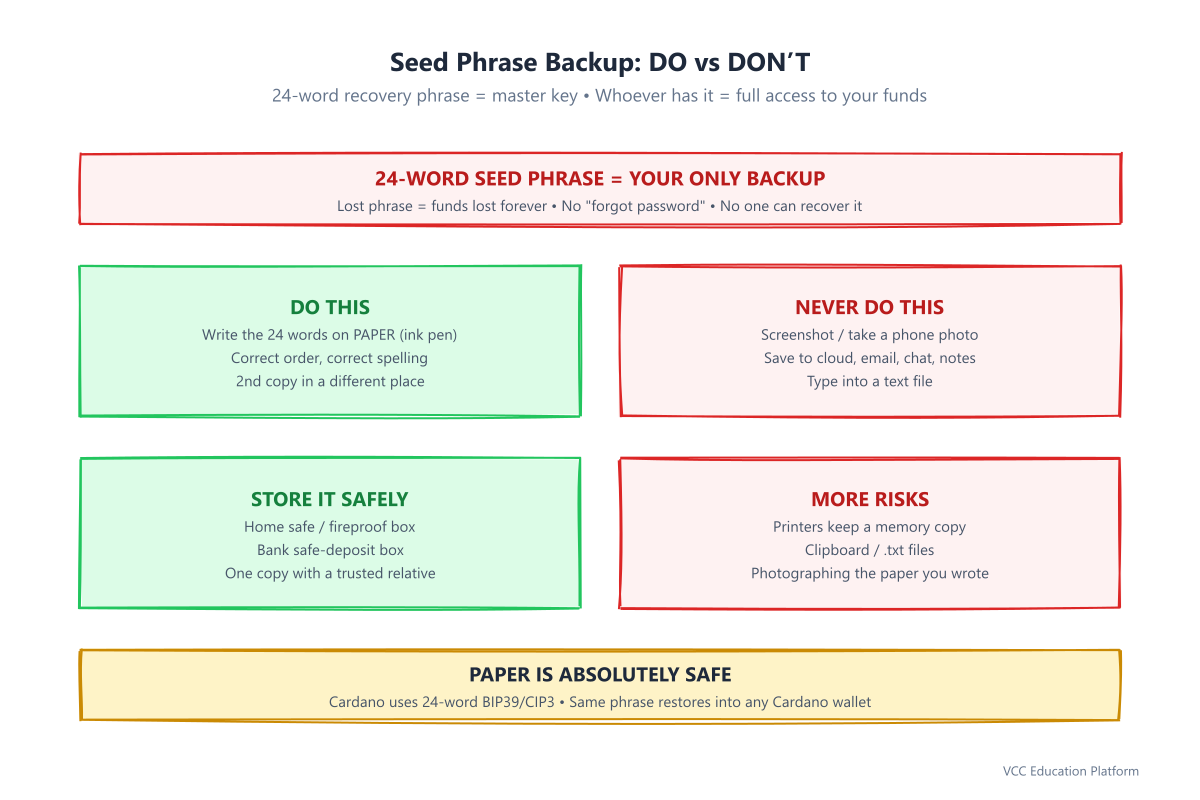
Figure 4: Seed phrase backup — paper and a second copy are safe; digital copies are a risk
Restore an existing wallet:
- Click Add wallet → Restore
- Choose the wallet type:
Ae2) - 24-word — Shelley wallet (current standard, addresses starting addr1) - 27-word — paper wallet - Enter the recovery phrase, name the wallet, set a spending password
- Wait for it to re-sync (faster than the very first sync)
The recovery phrase follows the standard BIP39/CIP3 format, so your same 24 words restore into other Cardano wallets like Yoroi, Eternl, or Lace — your funds and staking delegation appear there instantly, without downloading a full node.
Critical: The 24-word phrase is the only key to your ADA. It cannot be changed, reset, or bypassed. If you lose it, you lose access forever. There is no "forgot my recovery phrase" button — and anyone who offers to "help recover it" is a scammer.
Send, Receive, and Delegate ADA
Now that your wallet is live, here is how you actually use it.
Receive ADA:
- Click the wallet → Receive
- Copy your address (starts with
addr1...) or use the QR code - Send this address to the exchange, P2P seller, or friend who is sending you ADA
Send ADA:
- Click Send, paste the recipient's
addr1...address - Enter the amount, review, and confirm
- Your spending password is required to authorize the transaction
Delegate to a stake pool (staking):
- Open the Delegation center
- Browse stake pools — check saturation (avoid pools near 100%) and margin
- Click Delegate to this pool, select your wallet
- Confirm with your spending password
- A 2 ADA deposit is placed (returned if you undelegate); there is no lockup — your ADA stays in your wallet the whole time
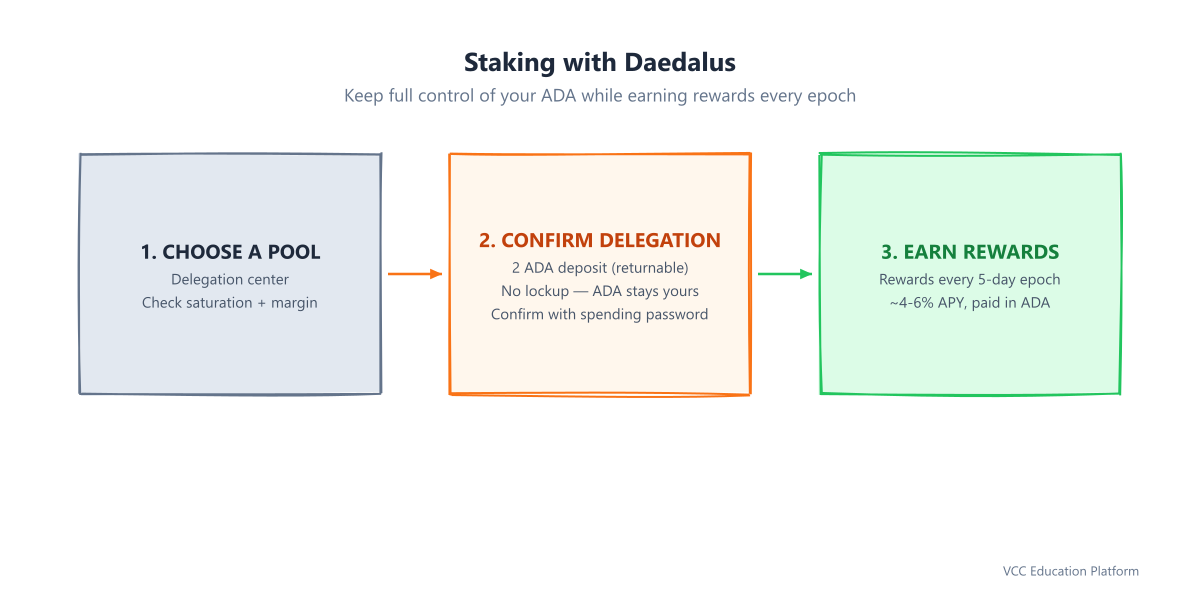
Figure 5: Delegate staking — earn rewards each epoch while your ADA stays in your wallet
Rewards are paid every epoch (5 days) at roughly 4-6% APY — here is how staking rewards work. You can stake, unstake, or switch pools at any time. Delegation costs a small transaction fee; the 2 ADA deposit is not a fee.
Pair a Hardware Wallet (Ledger / Trezor)
The most secure way to use Daedalus on Cardano is to pair a hardware wallet. Your private keys live on the device and never touch your computer.
Before you start:
- Ledger: install Ledger Live, update firmware, and install the Cardano (ADA) app on the device
- Trezor: install Trezor Suite, update firmware, and install Trezor Bridge
Pair it with Daedalus:
- In Daedalus, go to Add wallet → Pair
- Connect your device and unlock it with its PIN
- Open the Cardano app on the device, then confirm export public key on the device itself
- Daedalus imports the wallet and syncs it — a hardware icon appears next to its name
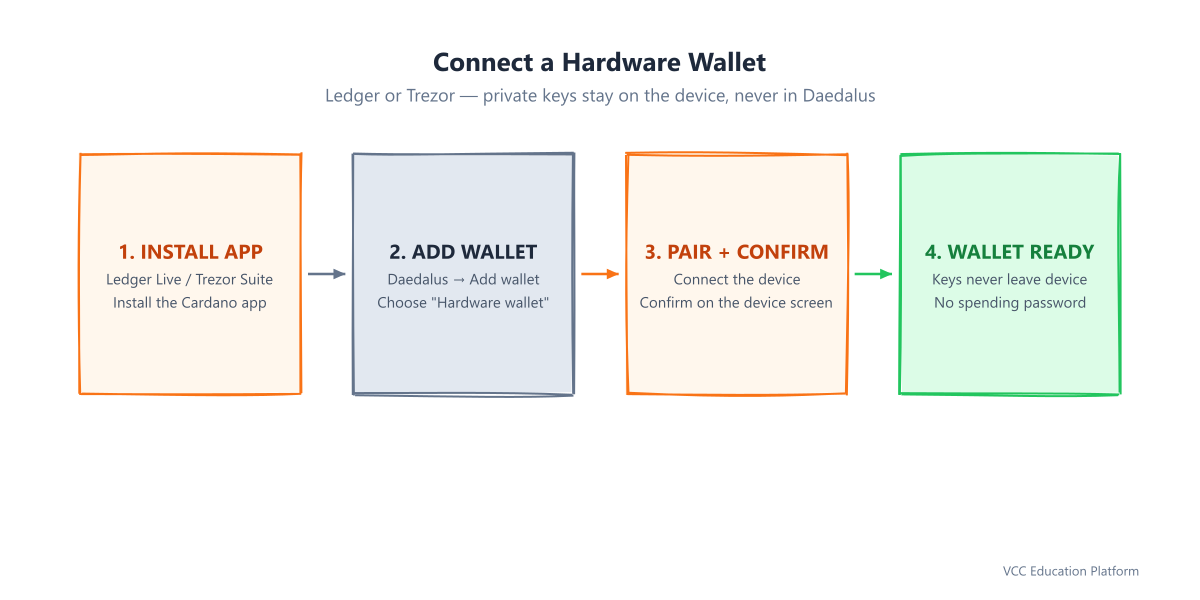
Figure 6: Pair a Ledger or Trezor hardware wallet for maximum security
Hardware wallets behave differently in two nice ways:
- No spending password — instead of typing a password, you confirm every transaction on the device
- Delegating a hardware wallet also confirms on the device, not on your computer
This is the setup IOHK recommends for large holdings: full node + hardware wallet = maximum sovereignty, no single point of failure.
Daedalus Security Checklist
Before you trust your ADA to any wallet — but especially a full node that takes hours to set up — run through this checklist:
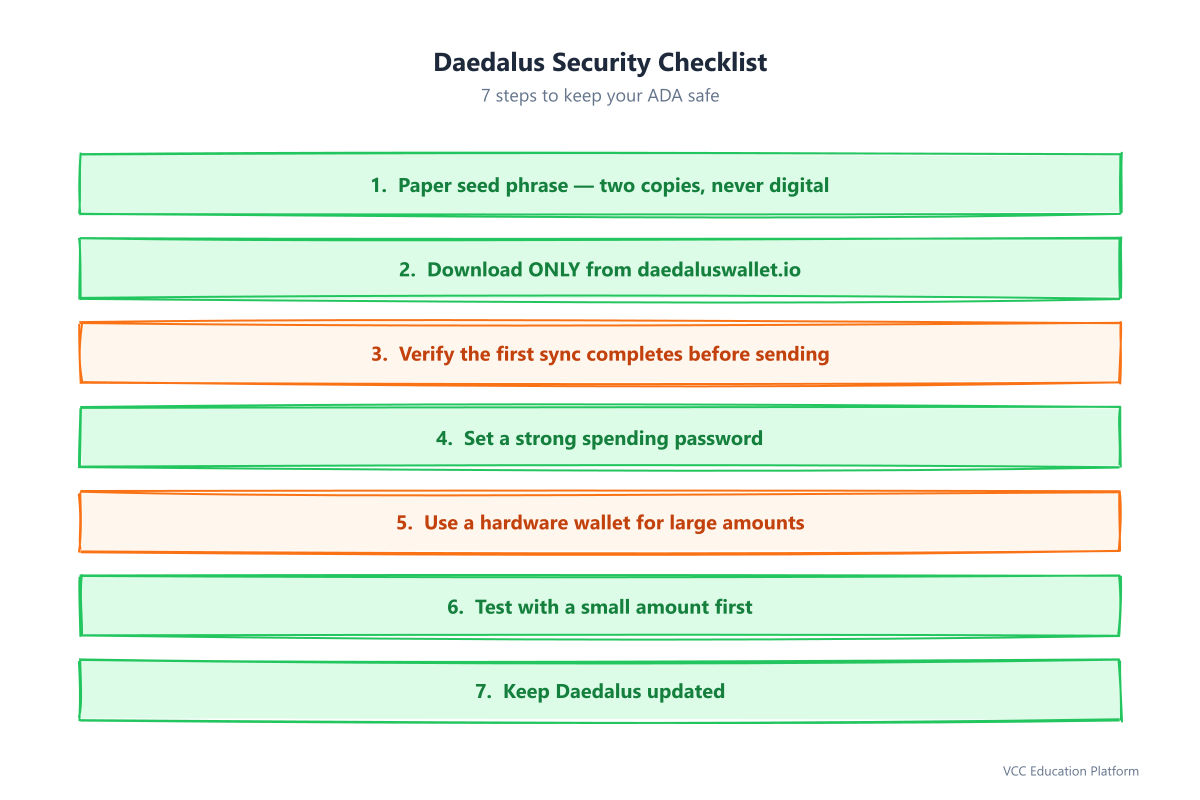
Figure 7: Daedalus security checklist — 7 steps before trusting it with your ADA
- Seed phrase on paper only — two copies, stored in different places, never digital
- Official download only —
daedaluswallet.io, never a search result - Verify your first sync — if it ever shows an error after hours of waiting, diagnose before sending funds
- Set a strong spending password — required for every transaction
- Pair a hardware wallet for large amounts — >$500-1000 of ADA justifies the cost
- Test with a small amount — send a few ADA first, confirm they arrive
- Keep Daedalus updated — official releases patch security issues
Common Daedalus Mistakes and Troubleshooting
Mistake 1: Downloading a fake "Daedalus mobile" app. There is no mobile Daedalus. Any app claiming to be it is malware designed to harvest your phrase.
Mistake 2: Running out of disk space mid-sync. The blockchain is 150-250GB+ and growing. Check free space before installing, not after.
Mistake 3: Deleting the wallet without the recovery phrase. Deleting a wallet from Daedalus deletes it locally — the only way back is the 24-word phrase. No phrase, no funds.
Mistake 4: Forgetting the spending password. Not fatal: restore the wallet with your recovery phrase and set a new password. The restore re-syncs, so it costs time, not money.
Mistake 5: Expecting instant sync. Plan for hours on the first run. If it seems stuck, check the diagnostics (Ctrl+D / Cmd+D) rather than force-quitting.
FAQ
Is Daedalus safe? Yes — it is the official IOG wallet, open source, non-custodial, with keys stored encrypted on your machine. It validates the blockchain itself, so it cannot be fooled by a compromised server.
Why does it take hours to sync? Daedalus downloads every block ever produced on Cardano and independently validates each one. That is what makes it trustless — and it only happens on the first sync.
Can I use my Daedalus seed phrase in other wallets? Yes. The 24-word phrase uses the standard BIP39/CIP3 format, so Yoroi, Eternl, and Lace can restore the same wallet instantly.
Do I need Daedalus to stake ADA? No. Any Cardano wallet can delegate to a stake pool. Daedalus is a sovereignty choice, not a staking requirement.
Is there a Daedalus mobile app? No. Daedalus is desktop-only. Any "Daedalus mobile" app or site is a scam.
Quick Reference
| Question | Answer |
|---|---|
| What is it? | Official full-node Cardano wallet by IOG |
| Platform | Desktop only (Windows, macOS, Linux) |
| RAM | 16GB min, 24-32GB recommended |
| Disk | 150-250GB+ SSD, growing |
| First sync | Several hours |
| Recovery phrase | 24 words, paper only |
| Hardware wallets | Ledger, Trezor supported |
| Staking | Yes, via Delegation center |
| Voting | Yes (requires spending password) |
| Mobile app? | No — any such app is a scam |
Updated: 2026-08-09 | Written by VCC Content Team — Cardano educators since 2021 | Technical review: [Cardano SPO/Developer] | Sources: Cardano Foundation, IOHK Support, Daedalus wallet official site, Ledger/Trezor support